Creating tickets
Add free or paid ticket types with prices, inclusions, group sizes, colors, and per-ticket limits.
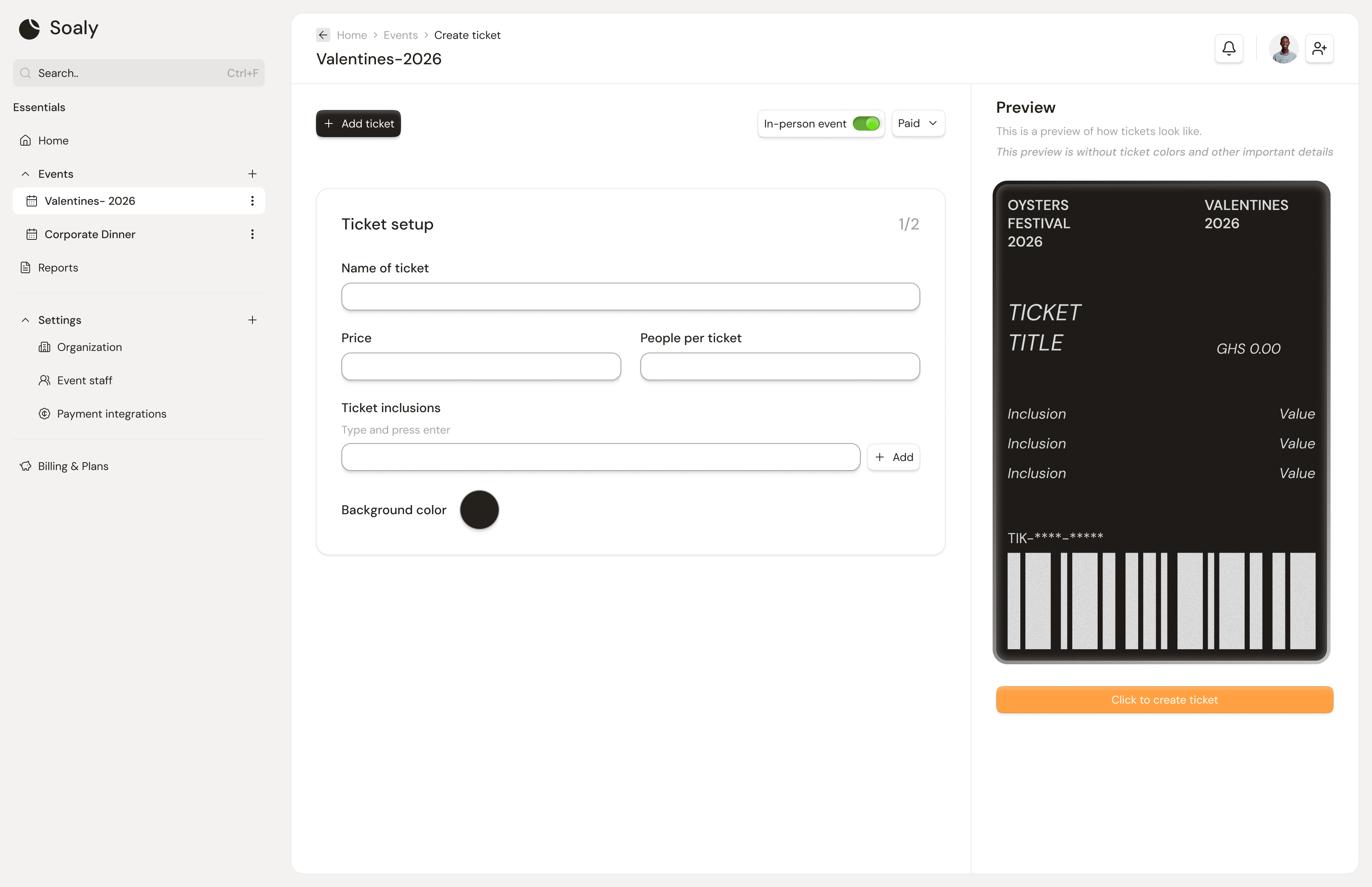
A ticket is a single thing an attendee can buy or claim. An event needs at least one ticket before it can be published, and you can offer as many types as you like - General, VIP, Early Bird, a group table, and so on. Each ticket carries its own price, perks, and stock.
Create a ticket
- 1Open the event and go to the Tickets tab.
- 2Enter a name and a price. Set the price to
0to make it a free ticket. - 3Optionally set people per ticket, inclusions, a color, and a quantity limit (below).
- 4Save. Repeat for each ticket type - you can reorder and edit them later.
Ticket fields
| Field | What it controls |
|---|---|
| Name | What attendees see in the ticket list (e.g. "VIP"). |
| Price | Cost per ticket in GHS. 0 = free. |
| People per ticket | How many people one purchase admits - use for tables/group passes. |
| Inclusions | A list of what the ticket comes with (drinks, swag, seat) shown on the booking page. |
| Color | A background color to visually distinguish the ticket. |
| Quantity limit | Maximum number that can be sold; blank = unlimited. |
Stock & limits
Each ticket tracks how many have sold against its quantity limit. When sold equals the limit, the ticket shows as sold out and is refused at checkout. This is independent of - and stacks with - the event-wide capacity: a booking must pass both the ticket's remaining limit and the event's remaining capacity.
People per ticket multiplies into capacity. A 10-seat table ticket with
people per ticket = 10 consumes 10 of your event capacity per purchase - handy for galas and dinners.Free vs paid
- Free (price
0) - no transaction fee, confirms instantly, no payment provider needed. - Paid (price >
0) - needs a connected provider and carries a 5% transaction fee. See Free vs paid tickets and Transaction fee & payouts.